
What families see: booking, swaps and the family page
Booking takes a minute on a phone, with no account. Here’s the family’s side of it.
Examples use Bluegum Valley JFC, a made-up club. About the sample club
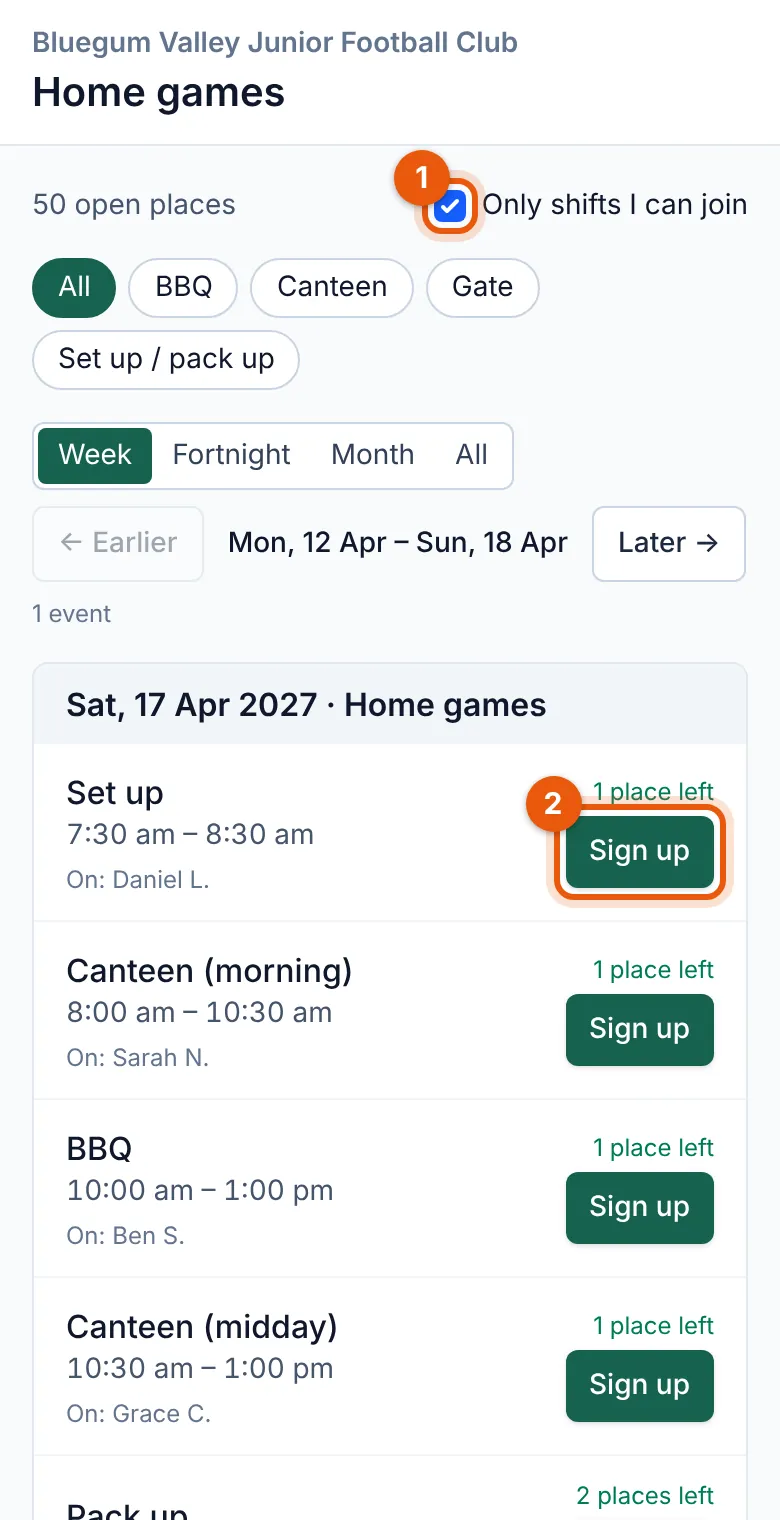
Sarah Nguyen opens the link from the WhatsApp group, picks “Canteen (morning), Sat 24 Apr”, and types her name and email. That's it.
 (full size, opens in a new tab)
- Families see only the shifts they can still join (untick to see them all).
- One tap on Sign up, then a name and email.
 (full size, opens in a new tab)
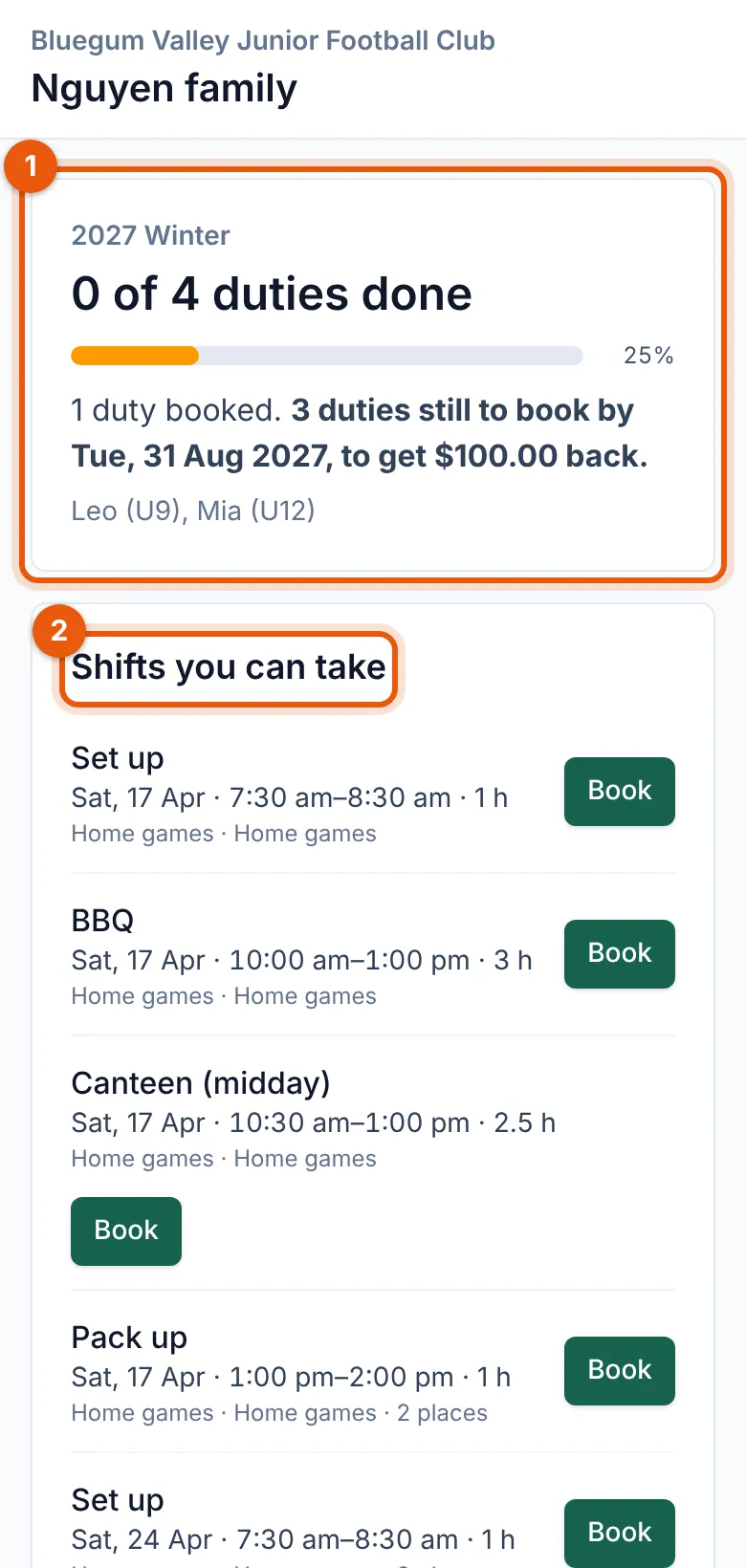
- Their progress: duties done and booked, what’s left by the deadline and the money at stake.
- Shifts they can take: one tap to book. Their booked shifts are further down.
- She gets a confirmation email with a button to manage her booking: cancel or swap up to the cut-off your club sets.
- Full shifts can have a waiting list, which fills gaps by itself when someone cancels.
- A reminder arrives before the shift (by text too, if your club turns texts on).
- The Nguyen family page shows their shifts, the duties they've done, what they still need to do and, if your club has a levy, the money at stake. A parent can book more shifts from it.
Tip: A booking from someone not yet in your families list can wait for you to link it to a family (Settings → Rosters).