
Run a school tuckshop roster
For P&C tuckshop and canteen convenors: a term’s roster, parents booking from the newsletter, and reminders.
Examples use Bluegum Valley JFC, a made-up club. About the sample club
Not a football club? The same steps work for a school tuckshop. A convenor sets up the term once, and parents book from the newsletter.
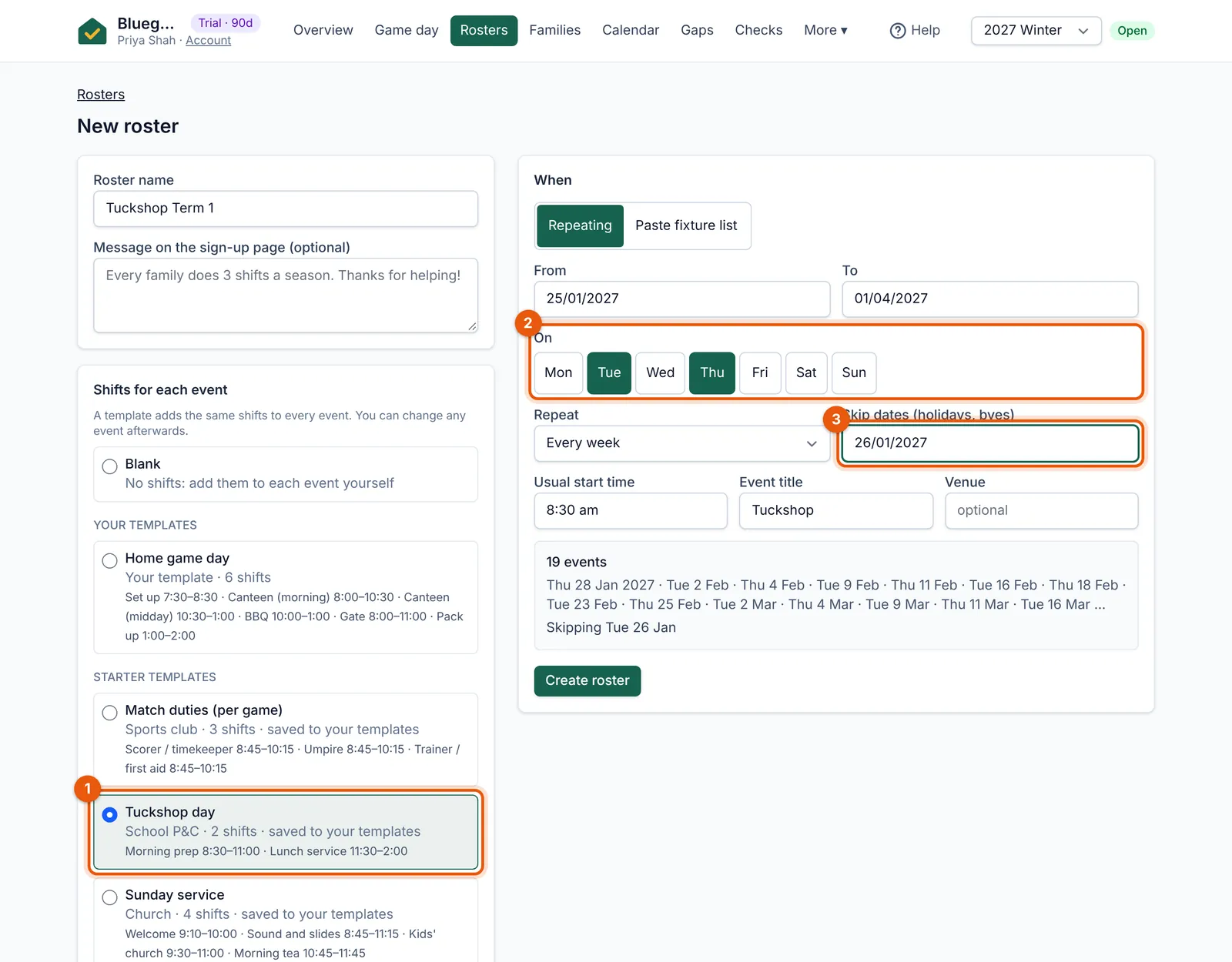 (full size, opens in a new tab)
- Choose “Tuckshop day”: morning prep and lunch service.
- Pick the days the tuckshop opens.
- Skip pupil-free days and public holidays.
- Choose rosters only at the welcome questions if you don’t charge a levy.
- Build the roster from the “Tuckshop day” template (Morning prep and Lunch service) on the days you open, and skip pupil-free days and public holidays.
- Put the sign-up link in the newsletter and the QR poster in the tuckshop window.
- Reminders go to parents a couple of days before (you choose how many in Settings); Game day works just as well on a tuckshop morning.
Tip: Download the free tuckshop roster template if you’d like a paper copy for the wall too.