
Invite every family at the start of the season
One email, once a season, to every family with an email address: the sign-up link and their own family page.
Examples use Bluegum Valley JFC, a made-up club. About the sample club
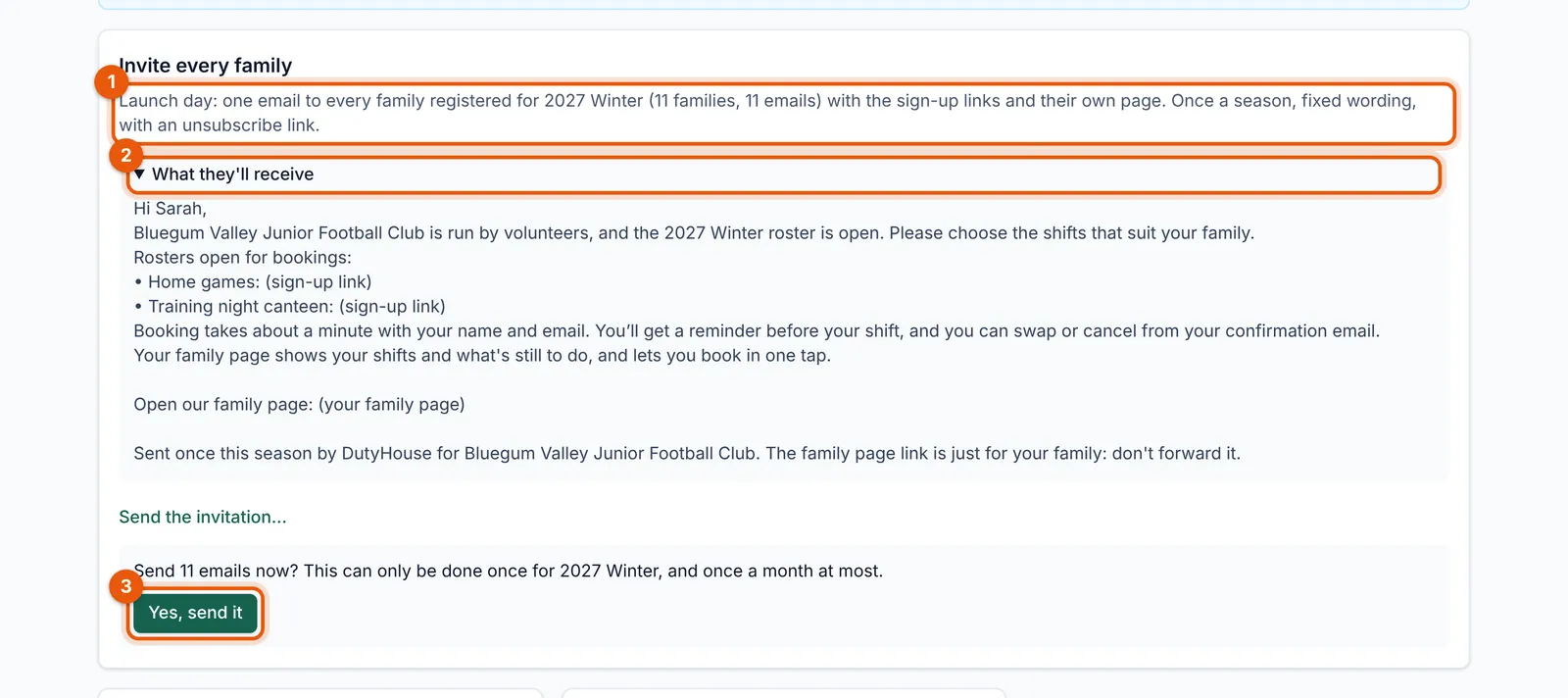
Group chats miss people. On launch day, send every family one email with the sign-up link and their private family page. Go to Rosters and use “Invite every family”.
 (full size, opens in a new tab)
- How many families and emails it will reach.
- Open “What they’ll receive” to read the fixed wording first.
- Yes, send it: it goes once a season.
- It goes once a season (and at most once a month), to every family in the season with an email address, and skips anyone who unsubscribed. During the free trial it can go from your third day, to up to 300 addresses.
- The wording is fixed (you can see it before you send), and each email has a one-tap unsubscribe.
- It names up to five rosters that are open for sign-ups, and links to each family’s own page if family pages are on.
Tip: Mid-season, if your club uses duty quotas, use Gaps instead: it only reminds the families who are behind.