
Run end-of-season refunds and the bank file
Prepare the refunds, approve them with a fresh sign-in, and upload one bank file to your bank.
Examples use Bluegum Valley JFC, a made-up club. About the sample club
31 August 2027 has passed. Mark has 128 families to pay back at Bluegum Valley JFC. DutyHouse has worked out who is owed what from the policy and the duties recorded.
 (full size, opens in a new tab)
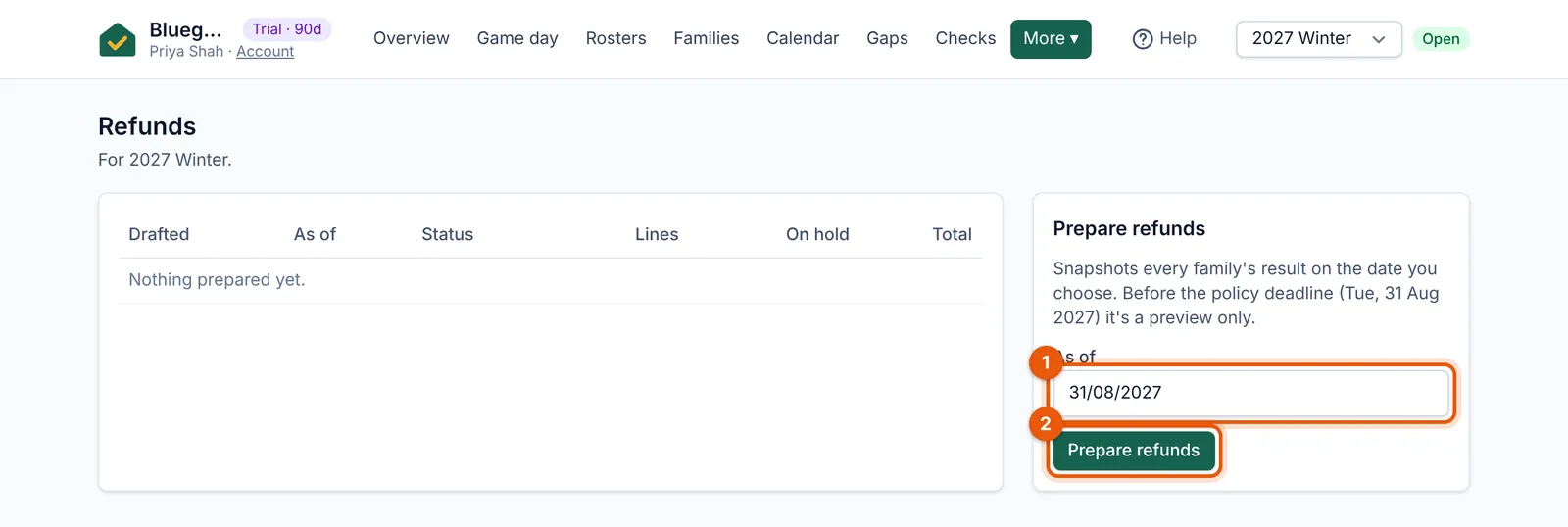
- The date the refunds are worked out to, usually the deadline.
- Prepare refunds drafts the batch for someone to approve.
- Check your bank file settings once (Settings → Bank file (ABA) settings): your club’s BSB, account and the user ID your bank gave you.
- Go to Refunds and choose Prepare refunds. Families without bank details are put on hold, with a list to chase.
- Someone who can approve refunds approves the batch. Approving needs a fresh sign-in link, so nobody can approve from an unattended laptop.
- Download the bank file (ABA) and upload it to your bank’s business banking. The money never passes through DutyHouse.
Tip: Families who give their bank details later go into the next batch. Sample families are never paid.